Nexus Market Security & Verification Guide 2026
Complete guide to PGP mirror verification, anti-phishing protection, and secure darknet marketplace access practices for Nexus Market.
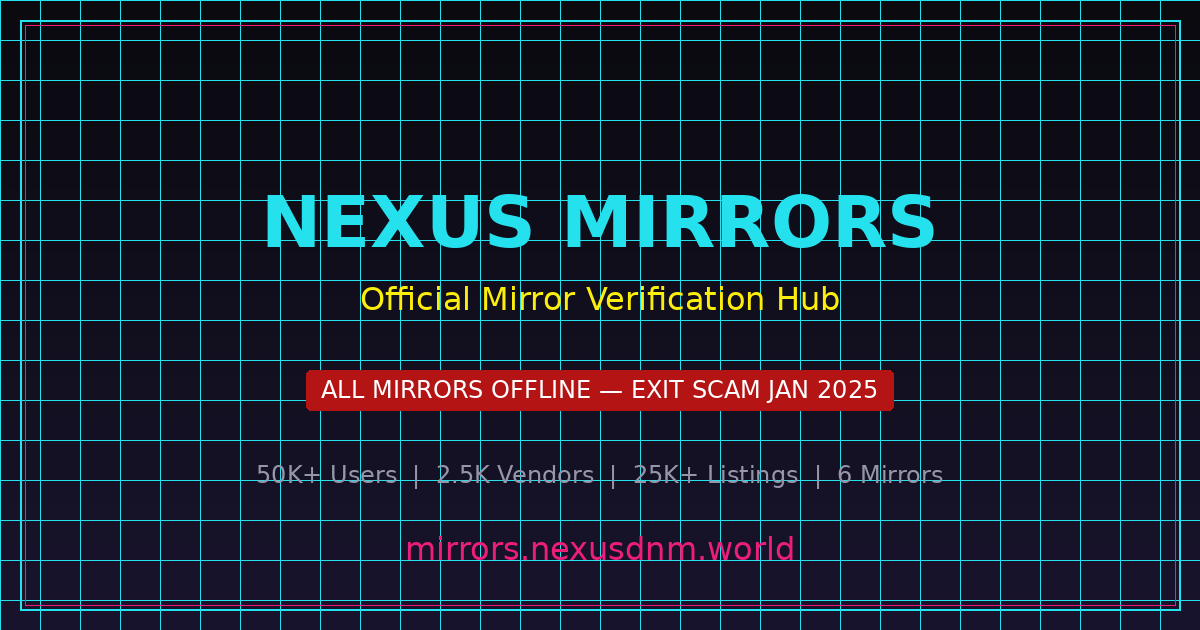
nexusaldu7wwewcpcn4reptcp72rsaeogolfvjncafua2oywwswwyaqd.onion no longer resolves to any server. Any site claiming to be Nexus Market in 2025 is a phishing scam designed to steal your credentials and cryptocurrency. This guide is preserved for educational and historical reference purposes only. Do not attempt to access or log in to any site presenting itself as Nexus Market.
PGP Mirror Verification Guide
Learn how to cryptographically verify darknet marketplace mirrors using PGP signatures. This step-by-step guide covers the Nexus Market verification workflow from key import to signature validation, protecting against phishing mirrors and man-in-the-middle attacks.
PGP verification is the most critical security practice for darknet marketplace access. Without it, you cannot confirm a Nexus Market mirror is run by legitimate administrators rather than a phishing attacker. Nexus Market provided PGP-signed messages for every official mirror — the primary defense against hundreds of daily phishing attempts before the January 2025 exit scam. See all known URLs at our Nexus Market mirror links hub.
Step 1: Install GnuPG
GnuPG (GNU Privacy Guard) is the open-source OpenPGP implementation that enables you to verify digital signatures. Before verifying any Nexus Market mirror, you need GnuPG installed. On Debian-based systems like Ubuntu or Tails OS, it is typically pre-installed. On Windows, use Gpg4win; on macOS, use GPG Suite. For maximum security, use Tails OS or Whonix, both of which include GnuPG by default. Always download GnuPG from the official GnuPG website and verify the installer checksum before running it.
sudo apt update && sudo apt install gnupg -y
After installation, confirm GnuPG is working. Version 2.2 or later is required for compatibility with modern PGP keys.
gpg --version
Step 2: Import the Market's PGP Public Key
Every legitimate darknet marketplace publishes a PGP public key as its cryptographic identity. Nexus Market's key was distributed through the marketplace, Dread forum posts, and darknet directories. The fingerprint uniquely identifies the key holder and cannot be forged. Always cross-reference it across at least two independent sources before trusting any imported key.
gpg --import nexus_market_pubkey.asc
After importing, list the key to verify the fingerprint matches what was published on trusted sources:
gpg --fingerprint "Nexus Market"
Compare every character against the officially published fingerprint — even a single difference means the key is not authentic and should be deleted from your keyring immediately.
Step 3: Download the Mirror's Signed Message
Legitimate Nexus Market mirrors provided a PGP-signed message that cryptographically bound the mirror URL to the marketplace's private key. This signed message was available on the mirror's landing page or a dedicated verification endpoint. It contains the mirror's onion address, the signature date, and sometimes an expiration date. Save this message to a local file — never copy-paste manually, as invisible characters can cause false verification failures.
curl -s http://[mirror-onion-address]/pgp-verify.txt -o nexus_mirror.sig
Alternatively, copy the entire signed block — from -----BEGIN PGP SIGNED MESSAGE----- through -----END PGP SIGNATURE----- — into a plain text file.
Step 4: Verify the PGP Signature
With GnuPG installed, the public key imported, and the signed message saved locally, you can perform the actual cryptographic verification. The verification command compares the signature block against your keyring and reports whether the signature is valid. A "Good signature" result proves the mirror URL was authorized by the marketplace operators and the message has not been altered.
gpg --verify nexus_mirror.sig
Expected output for a valid signature:
gpg: Good signature from "Nexus Market <nexus@example.onion>"
A "BAD signature" means the message was tampered with or signed by a different key — do not trust that mirror under any circumstances. Delete the file and report it.
Step 5: Cross-Reference & Bookmark
After successful PGP verification, log in and confirm your anti-phishing phrase appears correctly. Because a phishing site cannot access the real database, it cannot display your phrase. Once both the PGP signature and anti-phishing phrase check out, bookmark the mirror URL in Tor Browser and always use that bookmark for access. Nexus Market security relied on this dual-verification combining cryptographic proof with a human-readable anti-phishing check.
# Verification complete — bookmark this URL in Tor Browser
# CTRL+D to bookmark in Tor Browser
# Never share your anti-phishing phrase with anyone
Anti-Phishing Security Checklist
Phishing attacks are the most common threat to darknet marketplace users. Before the Nexus Market exit scam, hundreds of phishing clones operated simultaneously, stealing credentials and cryptocurrency. Follow every item on this checklist.
Phishing sites use visually similar characters to create near-identical onion addresses — a single swapped character like "l" for "1" is enough. Onion v3 addresses are 56 characters long; careful verification of each one is essential for Nexus Market security.
Your anti-phishing phrase, set during Nexus Market account creation, appears after username entry and before password submission. If it is missing, wrong, or blank, you are on a phishing site — close the tab immediately.
Phishing operators routinely post fake mirror links on Dread, Telegram, and paste sites — even through compromised trusted accounts. Use only PGP-verified bookmarks in your own Tor Browser.
After PGP-verifying a Nexus Market mirror, bookmark it in Tor Browser immediately. Never type onion addresses manually — a single character error sends you to a phishing domain and bookmarks eliminate that risk entirely.
Nexus Market's PGP 2FA required decrypting a challenge encrypted to your public key at every login — phishing sites cannot bypass it because they lack your private key. Enable PGP 2FA on any marketplace that supports it. See all known Nexus Market mirror links on our mirror hub.
Legitimate darknet marketplaces operate exclusively through .onion addresses on the Tor network. Any clearnet website claiming to be Nexus Market or offering "clearnet access" is a phishing scam. Nexus Market never operated a clearnet portal.
While onion services encrypt by default, some marketplaces also deployed SSL certificates. Verify certificate details against Nexus Market's published information — mismatched or missing certs can indicate a man-in-the-middle attack.
A Nexus Market mirror that was safe last week may not be safe today — domains can be seized and servers compromised. Re-verify PGP signatures after any downtime or unusual behavior on the Nexus site.
Report any Nexus Market phishing mirror on Dread immediately with the URL and screenshots. Quick community reporting allows moderators to warn others — many phishing sites were flagged within hours.
A dedicated device or VM prevents cross-contamination between darknet and regular browsing. Tails OS provides amnesic sessions that leave no trace, making it ideal for Nexus Market access.
The Tor Project releases regular security updates. An outdated Tor Browser exposes you to known exploits that can deanonymize traffic or enable remote code execution — never delay updates.
Tor Browser restricts JavaScript to its safest level by default. Lowering the security slider significantly increases your attack surface. Malicious scripts on phishing sites can deanonymize users, steal session cookies, or install tracking mechanisms. Keep the security slider at its highest level at all times.
Identifying Fake Mirrors vs. Legitimate Mirrors
Knowing the difference between an authentic Nexus Market mirror and a phishing clone is critical for protecting your cryptocurrency. Phishing operators invest heavily in pixel-perfect replicas that fool even experienced users. This guide highlights the key indicators separating legitimate mirrors from dangerous phishing sites.
✓ Legitimate Mirror Signs
- Valid PGP signature from the official marketplace key — The mirror's signed message verifies against the published public key, confirming administrators authorized the address.
- Correct anti-phishing phrase displayed after username entry — Your personalized phrase appears exactly as configured, proving the site has access to the real marketplace database.
- Onion v3 address format (56 characters ending in .onion) — Nexus Market exclusively used v3 addresses for stronger cryptographic security.
- Consistent page layout and functionality matching the main site — Legitimate mirrors serve identical features and response times from the marketplace's own infrastructure.
- URL listed in multiple verified community directories — Trusted darknet directories and moderators independently verify legitimate mirror addresses.
- CAPTCHA and security challenges function correctly — Phishing sites often have broken CAPTCHAs because they cannot replicate server-side logic.
- Account balance and order history match your records — Discrepancies after login indicate a cloned or fake database.
✗ Phishing Mirror Red Flags
- No PGP signature available, or signature fails verification — Phishing operators cannot produce valid signatures without the marketplace's private key. Any mirror without a verifiable signature should be treated as malicious.
- Missing, incorrect, or generic anti-phishing phrase — Phishing sites may show a blank, a placeholder, or skip the step entirely — they cannot display your real phrase.
- Onion v2 address format (16 characters) — deprecated and insecure — Tor deprecated v2 addresses in October 2021. Any marketplace on a v2 address is a scam or dangerously outdated.
- Unusual login flow or extra credential requests — Phishing sites may ask for your PGP passphrase, wallet seed phrase, or PIN. Legitimate marketplaces never request private key material through web forms.
- URL found only on unverified paste sites or spam messages — A mirror URL appearing exclusively on paste bins or unsolicited messages without community verification is almost certainly a phishing trap.
- Broken features, missing images, or slow response times — Incomplete functionality, broken search, or missing vendor profiles indicate a reverse-proxy clone.
- Requests to deposit cryptocurrency before accessing the marketplace — No legitimate marketplace requires an upfront deposit to browse listings or access your account.
Historical Context: During Nexus Market's operational period, security researchers identified over 300 distinct phishing mirrors targeting the marketplace's users. These sites collectively stole millions of dollars in cryptocurrency from users who skipped verification. Phishing sophistication ranged from crude copies to near-perfect replicas distinguishable only through PGP signature verification — underscoring why cryptographic verification, not visual inspection, must be the foundation of any darknet security practice. Review the complete Nexus Market mirror status dashboard for every known mirror and its current state.

Security Best Practices for Darknet Access
These security best practices form the foundation of safe, anonymous darknet marketplace access — drawn from real attack vectors used to compromise Nexus Market users and others navigating dark web markets.
Use Tor Browser Exclusively
The Tor Browser is the only browser engineered for anonymous .onion access, routing traffic through three encrypted relays and blocking ISP or surveillance monitoring. Nexus Market was never accessible through regular browsers, VPN-only setups, or Tor proxy services. Download exclusively from torproject.org and verify the signature before use.
Enable PGP Two-Factor Authentication
PGP 2FA is the strongest account protection available on darknet marketplaces — every login requires decrypting a challenge with your private key, which phishing sites and SIM-swappers cannot replicate. Nexus Market implemented this via the OpenPGP standard. Learn more from GnuPG.
Set a Unique Anti-Phishing Phrase
An anti-phishing phrase is a custom string stored in your Nexus Market account and displayed on the login page after username entry. Phishing sites cannot replicate it because they lack database access — making it a human-readable complement to PGP verification. Choose something memorable, avoid predictable words, and change it immediately if you suspect compromise.
Use Dedicated Hardware or Virtual Machines
Tails OS runs from a USB drive, leaves no trace on the host, and routes all traffic through Tor. Whonix uses a dual-VM architecture that prevents IP leaks even under Workstation compromise. Both are far more secure than running Tor Browser on a standard OS.
Never Reuse Passwords Across Marketplaces
When a marketplace is seized or breached, hashed passwords become available to attackers. If you reused your Nexus Market password elsewhere, those accounts are at risk once the hash is cracked. Use an offline manager like KeePassXC to generate unique, high-entropy passwords for every account and never store credentials in plaintext.
Run Tails OS for Maximum Anonymity
Tails boots from removable media, runs in RAM, forces all traffic through Tor at the OS level, and wipes every trace on shutdown. It bundles GnuPG, Tor Browser, and encrypted persistent storage — providing Nexus Market users protection against forensics, surveillance, and device compromise in a single environment. The Electronic Frontier Foundation recommends it for anyone requiring strong operational security.
Nexus Market Historical Timeline
A chronological overview of Nexus Market's rise and collapse through an exit scam in January 2025, illustrating the darknet marketplace lifecycle and the security implications of each stage.
Market Launch
Nexus Market launched on the Tor network in early 2024 as a secure alternative to established platforms. The launch featured a modern interface, support for Bitcoin (BTC) and Monero (XMR), and a PGP verification system for mirrors. Early adopters praised mandatory PGP 2FA for vendors and the anti-phishing phrase system for buyers. View all known Nexus Market mirror links and onion URLs on our dedicated mirror hub.
Rapid Growth Phase
By mid-2024, Nexus Market grew rapidly as vendors migrated from platforms under law enforcement pressure, surpassing 1,000 active vendors. Security improvements included rate-limited logins, improved CAPTCHA, and expanded mirror infrastructure to maintain uptime under DDoS attacks.
Feature Expansion
Q3 2024 saw Nexus Market introduce multi-signature (multisig) escrow, distributing trust across multiple cryptographic keys so no single party could unilaterally access funds. Listings expanded and vendor verification was strengthened with performance bond deposits.
Peak Operation
Nexus Market peaked with over 50,000 users, 2,500 vendors, and 25,000 listings, becoming a dominant dark web platform processing thousands of daily transactions in BTC and XMR. Multiple PGP-verified mirrors were maintained. In retrospect, researchers believe administrators may already have been planning the exit scam during this period of apparent stability.
EXIT SCAM
On January 18, 2025, Nexus Market's administrators executed an exit scam, shutting down all infrastructure and disappearing with escrowed funds. The primary onion address OFFLINE and all known mirrors became unreachable simultaneously. Users with escrow balances, pending withdrawals, or active orders lost everything. Tens of thousands of users were impacted across Bitcoin and Monero holdings.
Aftermath & Fallout
In the weeks following the exit scam, phishing operators immediately deployed fake "Nexus Market restoration" sites targeting desperate users hoping to recover funds. Dread forums documented thousands of individual loss reports, and law enforcement initiated investigations. The Nexus Market exit scam remains a stark reminder that no centralized darknet marketplace is fully trustworthy, and users should never store more cryptocurrency on any platform than they can afford to lose.
Frequently Asked Questions
Common questions about Nexus Market security, PGP verification, phishing protection, and the marketplace's status after the January 2025 exit scam.
Install GnuPG, import the marketplace's official public key, and download the signed message from the mirror. Run gpg --verify — a "Good signature from Nexus Market" confirms the mirror was authorized; a "BAD signature" means it is fraudulent. Since Nexus Market exit-scammed in January 2025, all mirrors are permanently offline — any active site claiming to be Nexus Market is a phishing scam.
An anti-phishing phrase was a custom string set during Nexus Market account creation. After username entry on subsequent logins, the legitimate Nexus site displayed it. Phishing sites cannot replicate it because they lack database access — a missing, blank, or wrong phrase meant you were on a fake mirror. This human-readable check complemented the technical PGP verification process.
The most reliable indicator of a Nexus Market phishing site is PGP verification failure — scammers cannot produce valid signatures. Other red flags: missing or wrong anti-phishing phrases, onion URLs off by even one character, login flows requesting seed phrases or PGP passphrases, broken vendor search, and URLs appearing only on paste sites. In 2025, any site presenting itself as Nexus Market is a phishing scam without exception.
No. Nexus Market is not operational in 2025 and will not return. On January 18, 2025, administrators executed a deliberate exit scam, shutting down all infrastructure and absconding with escrowed cryptocurrency. The original onion address (nexusaldu7wwewcpcn4reptcp72rsaeogolfvjncafua2oywwswwyaqd.onion) is permanently offline, as are all verified mirrors. Any site claiming to be Nexus Market or a "restored" version is a phishing scam. Do not enter credentials anywhere presenting itself as Nexus Market — there is no successor, and lost funds are unrecoverable.
During its operational period, Nexus Market implemented industry-standard security features including PGP-based two-factor authentication for buyers and vendors, customizable anti-phishing phrases, PGP-signed mirror verification, multi-signature escrow, rate-limited logins, automated CAPTCHA, Bitcoin and Monero payment support, and PGP-encrypted user messaging. Despite these protections, the marketplace's centralized architecture ultimately allowed administrators to execute the exit scam that rendered all security measures meaningless.
Staying safe in 2025 requires a layered approach informed by the Nexus Market exit scam. Use Tails OS or Whonix instead of standard operating systems. Enable PGP 2FA on every account. Verify all mirrors through PGP signatures before logging in. Never store more cryptocurrency on any marketplace than you can afford to lose — exit scams are an ever-present risk. Use unique passwords from an offline manager like KeePassXC, keep Tor Browser updated, and monitor community forums for security alerts. Consider Monero over Bitcoin for enhanced transaction privacy.
Related Security Resources
Curated collection of trusted external resources for darknet security, privacy tools, cryptographic verification, and cybersecurity education. All links open in new tabs and point to established, reputable organizations.
Privacy & Anonymity Tools
- The Tor Project — Official source for Tor Browser and onion routing documentation.
- Tails OS — Amnesic live operating system routing all connections through Tor, leaving no trace on the host machine.
- Whonix — Desktop OS designed for advanced security using Tor-based dual-VM isolation.
- Electronic Frontier Foundation (EFF) — Leading nonprofit defending digital privacy and free speech through legal advocacy.
- Privacy Guides — Community-maintained resource covering privacy tools, encrypted messaging, and anonymous browsing.
- Qubes OS — Security-focused OS using compartmentalization to isolate applications against malware.
Cryptography & Security Tools
- GnuPG (GNU Privacy Guard) — Open-source OpenPGP implementation for encrypting, signing, and verifying data.
- OpenPGP — The open standard for PGP encryption and digital signatures used in Nexus Market mirror verification and 2FA.
- KeePassXC — Offline, open-source password manager for generating and storing unique credentials per marketplace account.
- VeraCrypt — Open-source disk encryption for protecting PGP keys, credentials, and sensitive data.
- OnionShare — Tool for sharing files and communicating anonymously over the Tor network via onion services.
- OWASP Foundation — Free resources on web security vulnerabilities and best practices.
Cryptocurrency & Payments
- Bitcoin.org — Official resource for Bitcoin, the primary cryptocurrency used on darknet marketplaces including Nexus Market.
- Monero (XMR) — Privacy-focused cryptocurrency offering untraceable transactions, supported as a payment method on Nexus Market.
Educational References
- Dark Web — Wikipedia — Overview of the dark web, its structure, and access methods.
- Tor Network — Wikipedia — Architecture, history, and security properties of the Tor anonymity network.
- Onion Routing — Wikipedia — Technical explanation of the multi-layered encryption scheme underlying Tor.
- Exit Scam — Wikipedia — Definition and examples of exit scams in darknet marketplace operations.
- Cloudflare Learning Center — Free resources on internet security, DNS, and encryption.
Return to our Nexus Market verified mirror links page for the complete mirror status dashboard, onion URL directory, and step-by-step verification instructions.
← Back to Mirror Hub